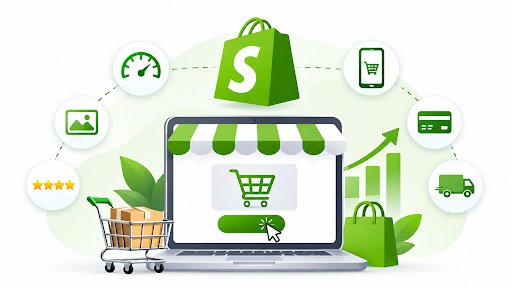

Getting traffic to your Shopify store is one thing. Turning those visitors into paying customers is where the real challenge begins.
You might be spending thousands on Google Ads, building your social media presence, or investing in SEO. Your traffic looks promising, products are getting views, and shoppers are adding items to their carts. Yet your sales aren’t growing at the same pace.
Sound familiar?
The problem isn’t always a lack of visitors. Sometimes, it’s what happens after they arrive.
Learning how to increase Shopify store conversion rate means understanding why customers hesitate, where they abandon their purchases, and what makes them confident enough to buy.
This guide covers 15 practical strategies to improve Shopify conversions, reduce cart abandonment, and generate more revenue from the traffic you’re already getting.
What Is a Shopify Store Conversion Rate?
Your Shopify store conversion rate shows the percentage of website sessions that lead to a purchase.
This can show you how effective your store is at converting shopping sessions into sales.
Shopify Conversion Rate Formula
Conversion Rate = (Number of Sessions That Resulted in a Purchase ÷ Total Number of Sessions) × 100
Let’s say your store had 10,000 sessions in a month and 200 purchases:
(200 ÷ 10,000) × 100 = 2%
If we increase this to 3%:
| Metric | Before Optimization | After Optimization |
| Monthly Sessions | 10,000 | 10,000 |
| Conversion Rate | 2% | 3% |
| Orders | 200 | 300 |
| Average Order Value | $75 | $75 |
| Monthly Revenue | $15,000 | $22,500 |
You’ll be generating an extra $7,500 per month with no increase in traffic, assuming average order value remains constant.
This is just an example.
What Is a Good Conversion Rate for a Shopify Store?
A good Shopify conversion rate depends on your industry, product pricing, traffic quality, and customer buying behavior.
According to Shopify’s 2026 ecommerce conversion rate research, industry averages vary considerably.
| Ecommerce Industry | Average Conversion Rate |
| Beauty & Personal Care | 5.32% |
| Food & Beverage | 4.58% |
| Fashion & Accessories | 2.77% |
| Consumer Goods | 1.76% |
| Home & Furniture | 1.29% |
| Luxury & Jewelry | 0.63% |
Source: Shopify’s published June 2026 industry benchmark data.
A luxury jewelry store shouldn’t necessarily expect the same conversion rate as a business selling everyday skincare products.
Rather than chasing an arbitrary percentage, compare your store against relevant industry benchmarks and its own historical performance.
The real goal isn’t simply a higher conversion rate. It’s more profitable sales from the customers you’re attracting.
Why Is My Shopify Store Not Converting?
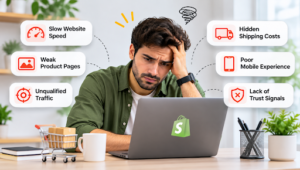
Before attempting any changes, you should first determine why you are having issues with your Shopify store. A lot of issues come down to mismatches between what a customer expects and how your store is set up.
Common Shopify Conversion Challenges
- Slow website loading times causing customers to get impatient.
- Poor product pages with unclear descriptions and images.
- Hidden shipping or tax costs.
- Poor mobile usability – buttons, navigation and checkout forms are hard to use.
- Lack of trust elements – no clear reviews or returns policy.
- Poor targeting from ads giving you unqualified traffic.
Below is a table you can use to identify what may be affecting your conversion funnel on Shopify.
| Issue | Potential Problem | What to Investigate |
| High traffic, low add to cart | Product or landing page issues | Price, images, product information |
| High add to cart, low checkout | Hesitation at cart stage | Shipping prices, cart usability |
| High checkout abandonment | Checkout issues | Payment options, delivery, errors |
| Low mobile conversions | Mobile usability issues | Loading speed, layout, buttons
|
| High ad traffic but low conversion rate | Mismatch between ad targeting and landing page content | Search keywords, audience targeting, ad messaging, and landing page relevance |
Using Shopify Analytics along with GA4 and behaviour tracking tools will help you understand why there are issues. The funnel will show where customers are dropping off, and customer feedback and usability tests can help you understand why.
15 Ways to Increase Your Shopify Store Conversion Rate
1. Increase the Speed of Your Shopify Website
If your website isn’t fast, then you’re losing out. Even if your store is visually stunning, a slow site will not convert well.
You may find that your product images are too large, which can cause frustration when shopping. If your site has too many apps, a heavy theme, or too much JavaScript, then you can cause shopper frustration.
Shopify did some research in 2026 to see how speed affects Shopify stores and found that slower loading sites had a lower conversion rate.
Start by:
- Optimising your images to make them smaller. This can be done by using modern image formats like WebP and AVIF.
- Removing unused apps and scripts.
- Reducing large videos and animations on your homepage.
- Checking third-party tracking scripts.
- Testing your product and collection pages on mobile devices.
Use Google PageSpeed Insights to pinpoint any issues.
Focus on Largest Contentful Paint (LCP), Interaction to Next Paint (INP) and Cumulative Layout Shift (CLS).
Tip: Optimise your most visited product page first!
2. Provide Answers to All Product Questions
Ensure you are providing buyers with all the information they need to understand your product, why they should pay the price and if it’s suitable for them.
For example, if someone is looking to buy a leather handbag, they may want to know:
- Will my laptop fit?
- Is there an adjustable strap?
- How will it look when worn?
- How tough is the material?
- Can I return it if it isn’t suitable?
If you don’t provide these answers, it could put off shoppers looking to compare alternatives.
Enhance your Shopify product pages by providing easy-to-read, benefit-driven product descriptions, accurate product specifications, multiple views, lifestyle images and shipping details.
Include relevant size guides, comparison tables, product demos and user-generated content.
Easy win: Take a look at your top five selling products and add answers to the most frequently asked questions.
3. Make the Add to Cart Button Easy to Find
What if after finding the perfect product you had to scroll around to find the Add to Cart button? That would be a pain!
Your Add to Cart button should be easy to find, click and make it clear which variant of the product they’re adding.
Try making it sticky for mobile users. If you have longer product pages, this can be a good addition.
Make sure your Add to Cart button is always visible but doesn’t cover up any product information. When clicked, it should give instant feedback so they know the product has been added.
Don’t waste time redesigning unimportant pages.
4. Gain Trust From First-Time Visitors
Your first-time visitors will want to know if you’re trustworthy, and they’ll want to know if it’s safe to pay for your products.
Give them confidence by:
- Displaying verified reviews and genuine images of your products.
- Having clear delivery and return policies.
- Providing easy ways to contact you.
- Offering familiar payment methods.
- Showing correct delivery times.
- Using consistent branding and professional product images.
Don’t have fake reviews, misleading countdowns or false claims.
You won’t gain trust from having more badges, but from having easy access to important information.
5. Minimise Checkout Abandonment on Shopify
One of the largest reasons customers abandon their cart is due to unexpected costs.
According to Baymard Institute research on cart abandonment, unexpected costs such as delivery and tax are a major cause of customers abandoning their purchase.
To reduce cart abandonment on Shopify:
- Make delivery costs visible or have clear delivery policies.
- Clearly state free delivery requirements.
- Have estimated delivery times where possible.
- Don’t have any unexpected handling costs.
- Have easy access to return policies.
Instead of hiding the delivery costs until checkout, tell them how much they’re spending:
“You’re $12 away from free delivery.”
Only do this if you know what the requirements are and the customer qualifies.
6. Make Checkout Easy
The more steps a customer has to go through to make a purchase, the more likely they are to abandon.
Look at your checkout and try to remove any extra steps.
Use guest checkout, fast payment options and correct address autofill where possible with your Shopify setup.
If you can avoid making customers create an account to purchase, then do so.
Test your checkout using real mobile devices and various payment methods.
Quick win: Try making a purchase. Take note of all the times you had to pause, think or repeat an action.
7. Optimize Your Shopify Store for Mobile Users
Even if your Shopify store looks great on a desktop, you may find it challenging to use on a phone.
Small fonts, complicated menus, overlapping pop-ups and difficult-to-navigate product variants may put people off purchasing.
Ensure your store is optimized for mobile users by:
- Making sure your product descriptions are easy to read.
- Making product variant options easy to select.
- Using buttons that are easy to tap.
- Making collections easy to navigate.
- Using correctly sized images.
- Making checkout forms easy to complete.
Don’t assume that just because your theme is responsive, your store will be optimized for mobile users.
Look at your conversion rates and see if your mobile conversion rate is different from your desktop conversion rate.
8. Showcase Customer Reviews
Customer reviews are very useful for when customers are unsure about the quality or fit of a product.
You should ensure that relevant reviews are shown, rather than having hidden reviews on another page.
For example, if you have an apparel store, you can showcase reviews about sizing. If you have an electronics store, you can showcase reviews about battery life and ease of use.
Ensure you have real reviews that show what customers have really experienced. Try to include some balanced reviews.
If your product doesn’t have many reviews, don’t show misleading overall ratings.
9. Ensure Products Are Easy to Find
If your customers can’t find products, they won’t purchase them.
If you have a large product range on your Shopify store, then getting customers to find products is an important part of optimizing your conversions.
Ensure your collections are easy to find by organizing them by how your customers would search for them.
For example, if you have a skincare store, then organize your collections by skin concerns, product types or routines.
Some great ways to improve this are to have descriptive collection names, relevant filters, accurate searches and easy sorting options.
Look at what customers are searching for internally to see what products they expect to find.
10. Recommend Products Relevant to Their Purchase
Relevant product recommendations can help your customers find products that would complement their purchase.
But if you’re recommending too many irrelevant products, it could put them off making their purchase.
For example, when someone buys a camera, they may find it useful to know that there is a memory card or cover available that works well with their new camera.
When someone buys a dress, it may be useful to recommend items that match.
Be sure to test out your recommendations for complementary products.
Make sure you are recommending carefully curated products and bundles.
You should see if your average order value and revenue per session have increased.
11. Send Recovery Emails and SMS
Not everyone who abandons their cart will be lost. It could be that they got distracted, require more time or were looking to compare.
You can use automated emails to recover interested customers.
For example:
- First email: A friendly reminder of what they left in their basket.
- Second email: Answering common questions they may have around delivery, returns and suitability.
- Third email: If your margins allow it, give them a relevant incentive.
Use Shopify to recover your carts or use an email marketing tool like Klaviyo.
Only send messages if you have marketing permission and do not automatically offer discounts.
12. Ensure Your Landing Pages Align With Your Advertising
A common issue faced by Shopify stores is not matching the offer you are advertising with the actual landing page.
You may have advertising that says “Buy Product X today at a special price.”
But when they click through to your landing page, they are taken to a generic product collection with no clear link to the offer.
This causes confusion.
Ensure your Google Ads, Meta Ads and any email campaigns are all pointing customers to the right page.
Ensure your prices, offers, products and messaging all match up.
If your landing page aligns well with your ad, it will help customers easily continue their shopping process.
13. Create Honest Offers to Encourage Purchases
Whilst using discounts can be a great way to encourage people to purchase, constantly using offers can cause customers to become conditioned to always wait for a deal.
Rather than just offering 20% off, try experimenting with different offers.
Maybe offer free shipping over a certain amount or a bundle offer. Or maybe you can offer an introductory offer or a genuine limited-time offer.
Try not to use misleading offers that create a false sense of urgency.
For example, saying there are only two left in stock when there aren’t.
A good offer will help to overcome any objections to purchase whilst not impacting your margin too much.
14. Make Data-Driven Decisions Using Analytics and Customer Behaviour
The best way to optimise your conversion rate is to make decisions based on data.
Begin by looking at your data in Shopify Analytics.
This will highlight how many sessions you are getting, how many people are adding to basket, how far they are progressing through checkout and how many purchases you’re getting.
Using GA4 will help you see where your traffic is coming from and how customers are interacting.
Using tools like Microsoft Clarity can help you see where customers are getting confused, clicking multiple times or scrolling.
For example, if people are clicking on a product image multiple times in the hope that it will open bigger, this may be an opportunity to improve usability.
Analyse by device type, traffic source, landing page and product category.
If you’re looking at your overall conversion rate, this could be hiding big differences between your different audiences.
15. Perform A/B Tests
If you change your homepage, product descriptions, checkout copy and offer all at once, it will be hard to know what has caused improvement.
Instead, try testing out specific theories.
For example:
- Theory: Adding delivery information next to the Add to Cart button will reduce purchase hesitation.
- Test: Compare the current product page to one with clear delivery information.
- Main KPI: Purchase conversion rate.
- Secondary KPIs: Add-to-cart rate, checkout started, revenue per session and average order value.
Run your test for a long enough period of time to get some real data.
Consider how much traffic you’re getting and how often people tend to purchase.
Once you’ve made any winning changes, look into any inconclusive results and keep testing.
How to Prioritize Shopify Conversion Improvements
You don’t have to implement all of these 15 strategies.
Prioritize based on which is most likely to impact your customers.
| Priority | Shopify Issue | Action Required |
| High | Checkout or payment errors | Fix now and test |
| High | Hidden delivery costs | Make costs clear |
| High | Slow high-traffic pages | Optimize page speed |
| Medium | Low product engagement | Optimize images and product copy |
| Medium | Lack of trust | Improve reviews and policies |
| Medium | Poor mobile usability | Improve navigation and buy buttons |
| Ongoing | Unclear impact of changes | Test and measure |
Prioritise based on how many customers will be impacted by the issue, how much revenue it will impact and how easy the issue is to fix.
A Simple 30-Day Shopify Conversion Optimization Plan
If you are not sure where to start, then you can follow this plan:
| Week | Action | Goal |
| Week 1 | Audit analytics, mobile, checkout and speed | Find areas blocking conversions |
| Week 2 | Optimize high-traffic product pages, delivery cost transparency and trust | Remove issues affecting purchases |
| Week 3 | Audit checkout abandonment recovery, product discovery and campaign landing pages | Recover and convert interested customers |
| Week 4 | Start a targeted A/B test and audit conversions | See what works |
Continue to monitor your results.
Some issues can be quickly improved, whilst some will require further testing.
Frequently Asked Questions About Shopify Conversion Rate Optimization
How Do I Increase Conversions on My Shopify Store?
First, see where people are dropping off on your site by looking at your add-to-cart, checkout and purchase behaviours using your Shopify Analytics reports.
Make sure you’re optimising any problem areas like slow product pages, unclear shipping, bad mobile experience and not enough information.
How Can I Improve My Shopify Conversion Rate Without Investing More in Advertising?
Make sure you’re converting your current traffic better by improving your product pages, adding real reviews, streamlining your checkout and being clear with delivery information.
You can also try to improve your drop-off by testing out these features.
What Is the Quickest Way to Improve My Shopify Conversion Rate?
Fixing a major checkout issue or usability issue can improve your conversion rate quickly.
Other quick wins would be improving your Add to Cart buttons, making product information clear and adding shipping costs upfront.
It really depends on what issue you have on your site.
How Can I Reduce Cart Abandonment on Shopify?
Make sure you’re clear with your shipping costs, provide relevant payment options, allow guests to checkout, keep it simple and make your delivery and returns policies clear.
Adding abandoned checkout emails can also help.
Why Isn’t Anyone Purchasing on My Shopify Store?
There could be a number of issues here.
Your traffic could be low quality, your product descriptions could be lacking, your prices may be causing issues, your site could be slow to load or there may not be enough trust signals.
Look at your sources of traffic and conversion funnel to see if it’s a pre-add-to-cart issue.
Is a 2% Conversion Rate Good on Shopify?
It really depends on your store.
Some stores might be doing quite well with a 2% conversion rate, whereas others may feel disappointed.
It depends on what industry you’re in, what price point your products are, what intent your customers have and what traffic you’re receiving.
Compare your conversion rates to other businesses in the same industry and your own previous data to see if 2% is a good conversion rate.
Will My Shopify Site Speed Impact Conversion Rates?
Yes. If your site is slow, it can cause problems and put people off purchasing.
Research done by Shopify in 2026 showed that sites that are slower to load had lower conversion rates.
Focus on improving your site speed on mobile, large images, extra scripts and slow product interactions.
Should I Work With a Shopify Growth Agency?
If your store is receiving regular traffic but not converting it into profitable customers, then working with a Shopify growth agency can be beneficial.
Make sure they have experience with Shopify development, analytics, conversion optimization, SEO and paid advertising.
Ask them how they measure success and what they’ll look to improve first.
Final Thoughts: Increasing Conversions on Shopify
This doesn’t mean you need to create more pop-ups, offer higher discounts and revamp your store every couple of months!
It means you are making it easy for people to shop with you.
By making it easy for people to find the right products, understand what the product will do for them, gain trust in your brand and complete checkout easily, they will be more likely to purchase.
Look at your data to see what the biggest barriers are, and make targeted changes. Track your improvements.
The more traffic you have, the more opportunity you have to convert. By making your customers’ shopping experience easy, you are creating an opportunity to convert.
If your Shopify store has traffic but you are struggling to see regular sales, NetSpark Solutions can help you look at opportunities within conversion rate optimization, Shopify development, SEO and ecommerce marketing.
For business enquiries, contact the team through the website or email using the verified business address published there.